Event Management

Critical operations under your control.

With Event Management, manage all your critical operations under a dual-control discipline in a traceable and reversible way.
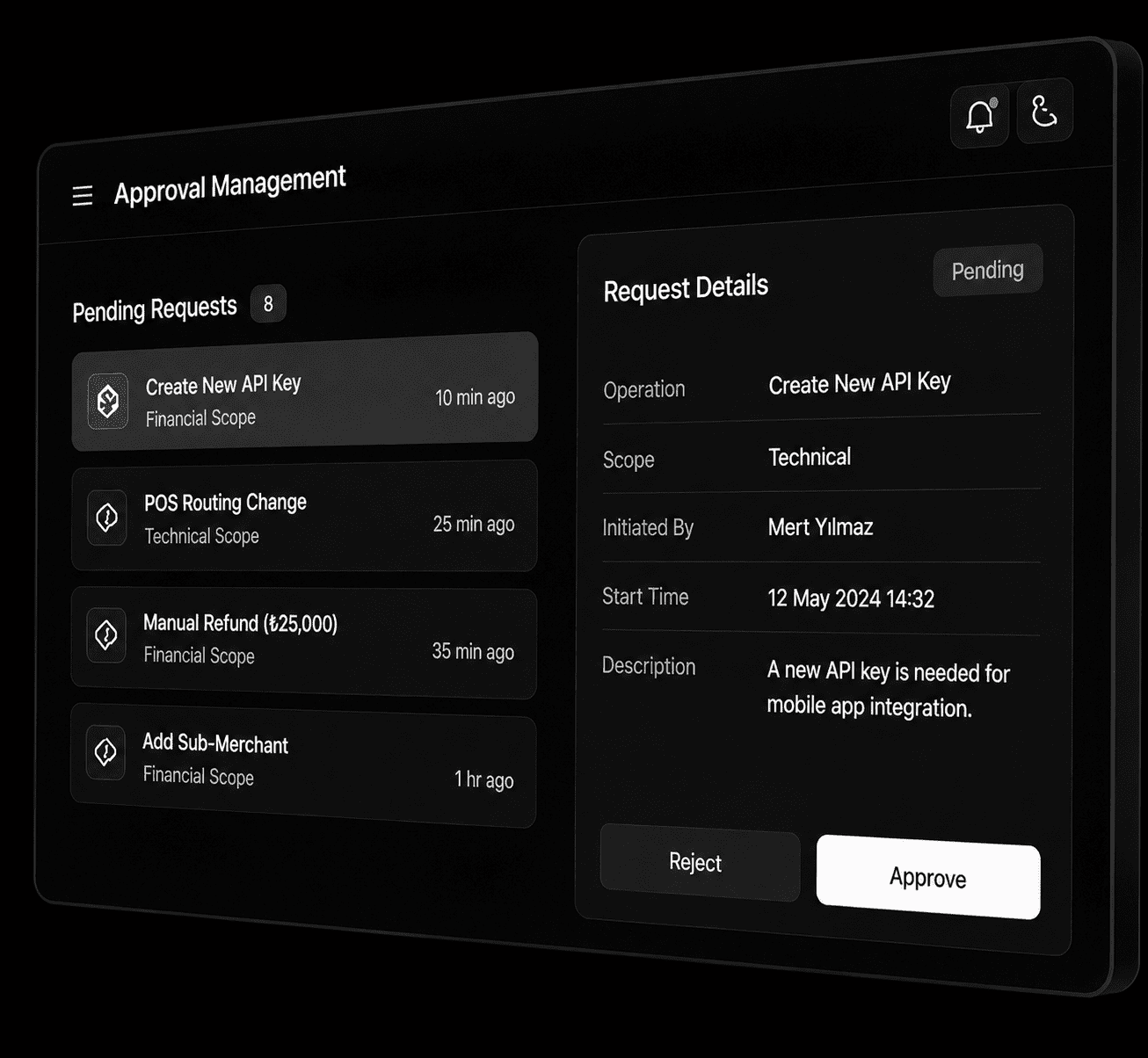
✔ Dual Control ✔ Full Traceability ✔ Flexible Configuration
Event management panel

How It Works

Powered by the Maker-Checker principle, our system ensures that critical operations are carried out securely and under control.

Maker initiates the operation
1

Maker Initiates the Operation

The authorized user, Maker, starts the operation through the panel.

Moved to approval queue
2

Moved to the Approval Queue

The operation is not executed immediately; it is placed in the approval queue.

Notification is sent to Checker
3

Checker Receives a Notification

All authorized users within the relevant scope are notified.

Executed after approval
4

Executed After Approval

Once the Checker approves it, the operation is executed automatically.

Approval Scopes

Stay in control with approval flows separated according to the responsibilities of different teams.

Financial scope

Financial Scope

Operations that create money movement or have a financial impact.

Finance Team

Technical scope

Technical Scope

API access and technical configuration operations.

Technology Team

All scope

All Scopes

Control areas customized for your organization.

Risk, Operations

Covered Operations

Secure every critical point of your payment operations with Event Management.

API and access management

API & Access Management

API keys, webhook and IP configuration

Virtual POS management

Virtual POS Management

POS provider, routing and commission settings

Financial operations

Financial Operations

Refunds, cancellations and money transfer approval processes

Marketplace and sub-merchant

Marketplace & Sub-Merchant

Sub-merchant, commission and payout management

User and authorization management

User & Authorization Management

User, authorization and admin operations

PayRepeat management

PayRepeat Management

Subscription plan, bulk collection and contract management

Manual reconciliation

Manual Reconciliation

Reconciliation adjustments and financial records

Other critical operations

Other Critical Operations

All operations that affect system health

Flexible and Granular Configuration

Create the approval experience that best fits your business processes.
Approval active/passive control by operation
Admin bypass definition
Time management and expiration settings
Maker can cancel their own request
Notification channel preference: Panel, Email, SMS
Different duration and channel configuration by scope
Scope Settings
Financial Scope 2 Hours
Technical Scope 24 Hours
All Scopes 12 Hours
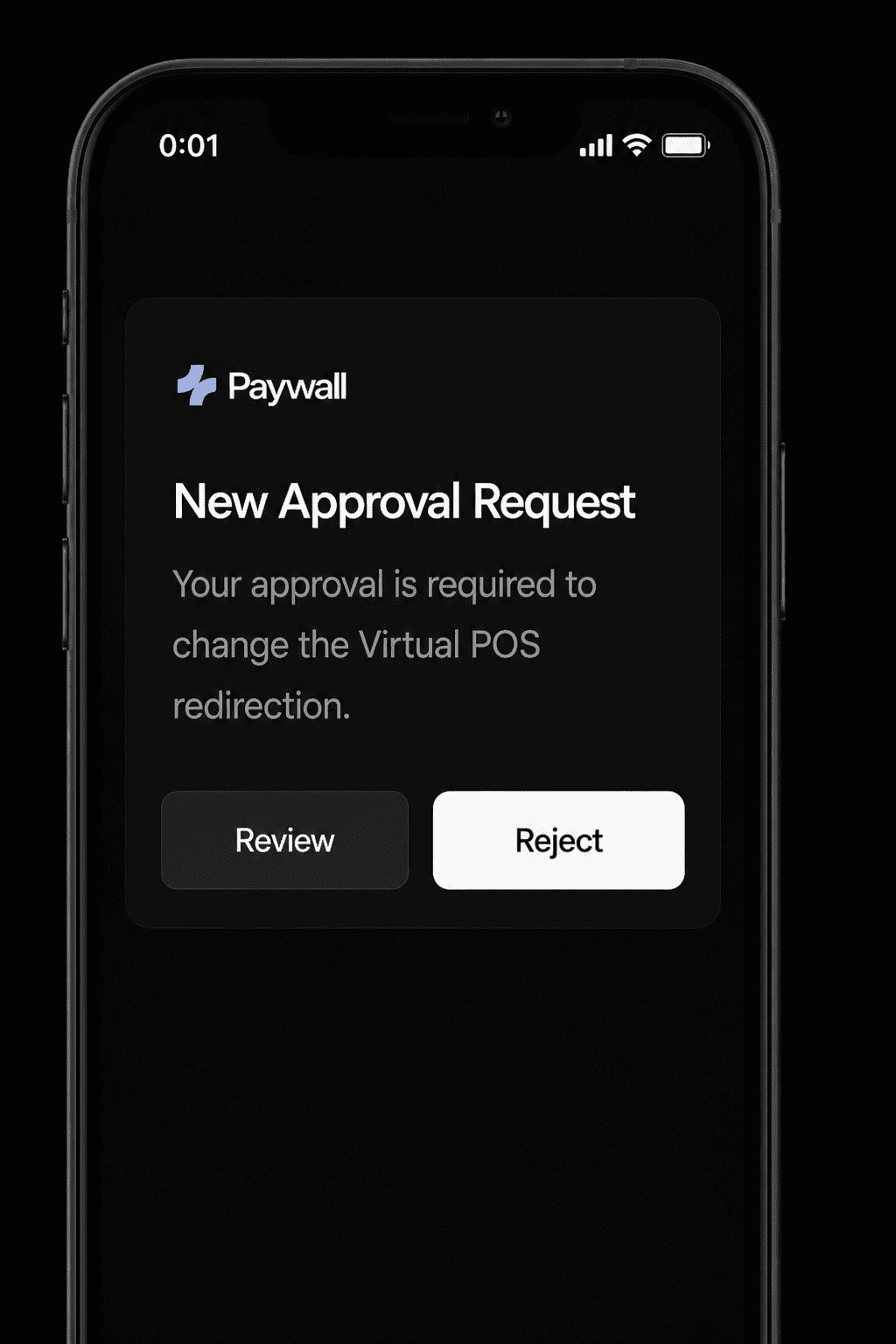
Mobile notification preview
Security design

Security Design

Prevention of self-approval
Atomic approval to prevent duplicate actions
Race condition protection with expiration
Expired requests are automatically cancelled
Full traceability

Full Traceability

Detailed operation history and log records
Reporting and audit compliance
CSV / PDF export
Full compliance with regulation and internal control standards

Frequently Asked Questions

No. Approval Management is triggered only for the operation types that you define as subject to approval. All other flows continue at their normal speed. When Approval Management is disabled, the system does not create any additional delay.

No. An expired request moves to the “Expired” status and can no longer be processed by the system. A new request must be initiated for the same operation.

The administrator selects the users to be assigned as Checkers for the relevant scope, such as Financial or Technical, through the panel. A user can be a Checker in multiple scopes; however, the “all scopes” permission and specific scope permissions are mutually exclusive.


Yes. A request that has not yet been approved or rejected can always be cancelled by the Maker who initiated it.


An approved request is already in effect. However, the operation itself, such as a created API key, can be withdrawn or changed by initiating a new Approval Management process.

Approval process metadata, such as who performed the action, when it was performed, and the final result, is stored permanently. Transaction details, or payload data, are automatically cleaned shortly after the operation takes effect.

If there is more than one Checker defined within a scope, all of them receive a notification. The first Checker to approve or reject the request finalizes the process.

The other Checkers receive a response indicating that “this request can no longer be processed by you.”

Panele Giriş Yapın
Yetkinize uygun paneli seçerek hesabınıza güvenli şekilde erişebilirsiniz.


1
Paywall Yönetim Paneli (itspaywall.com) ↗


2
Paywall Yönetim Paneli (paywall.com.tr) ↗

This will close in 20 seconds

Access the Panel
Select the panel that matches your role to securely access your account.


1
Paywall Management Panel (itspaywall.com) ↗


2
Paywall Management Panel (paywall.com.tr) ↗

This will close in 59 seconds